


Available on Canopsis
Community and Pro
Active feature
since Canopsis V1
When an event is published in Canopsis, the event filter function decides whether to keep or delete it, based on objective criteria.
These criteria are based on event attributes:
- Source
- Component / Resource
- Message
- Severity…
It also enables events and entities to be enriched through several actions:
- Drop: delete an event
- Break: stop evaluation of the following rules
- Change entity: manipulate the identifier of an entity before it is registered in Canopsis (excluding personalized information).
- Enrichment: enrich or modify an event and add customized information to entities
✅ Updates 2022 : Rules application schedule
Event filter rules (drop, enrichment) can now be executed according to a calendar.
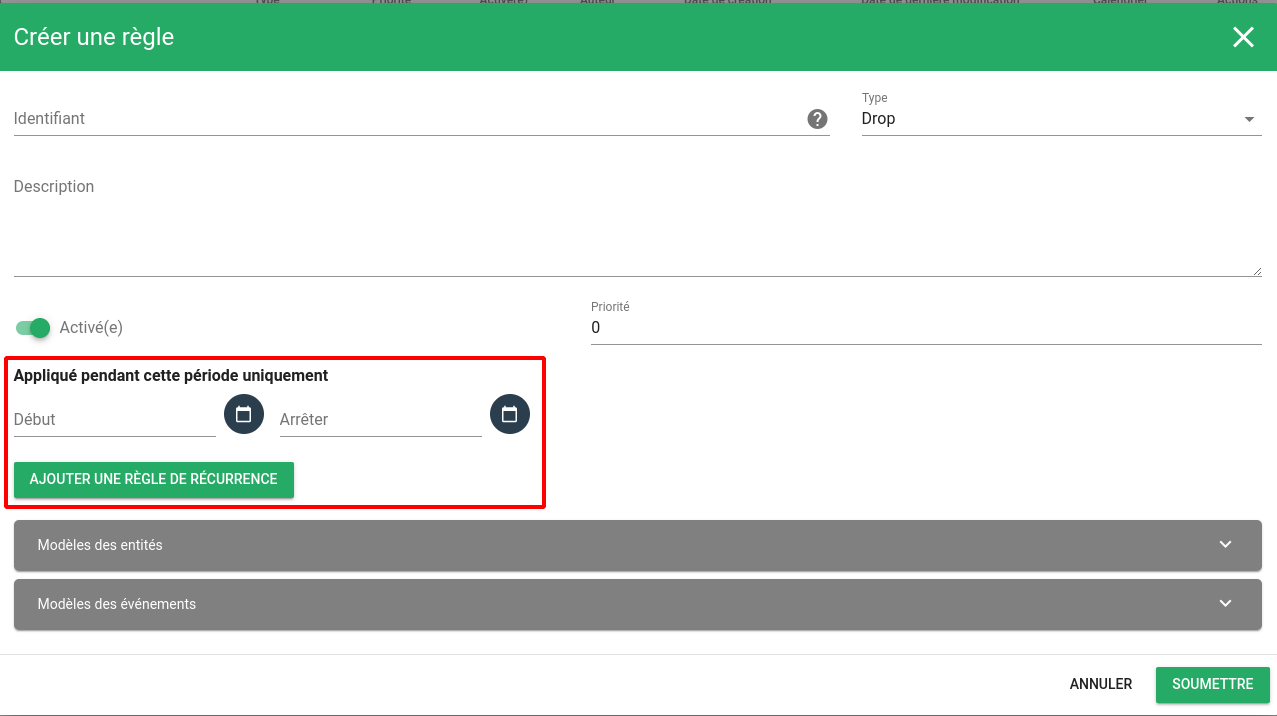
It is now possible to receive notifications on event filters and easily view all the filtering rules applied to an alarm, thanks to the traceability of enrichments.
For more information on the features of our open-source hypervision solution, see the Canopsis documentation. Any unanswered questions? You can also contact our technical team via the contact form.

Audience
- Supervision pilots
- Administrators
- Application managers

Added value
- Relevance
- Time saving