


Available on Canopsis
Community and Pro
Active feature
since Canopsis V3
The Calendar widget displays alarm volumes as counters per day, directly in a calendar interface. It is particularly useful for identifying critical periods, recurring trends or peaks in activity.
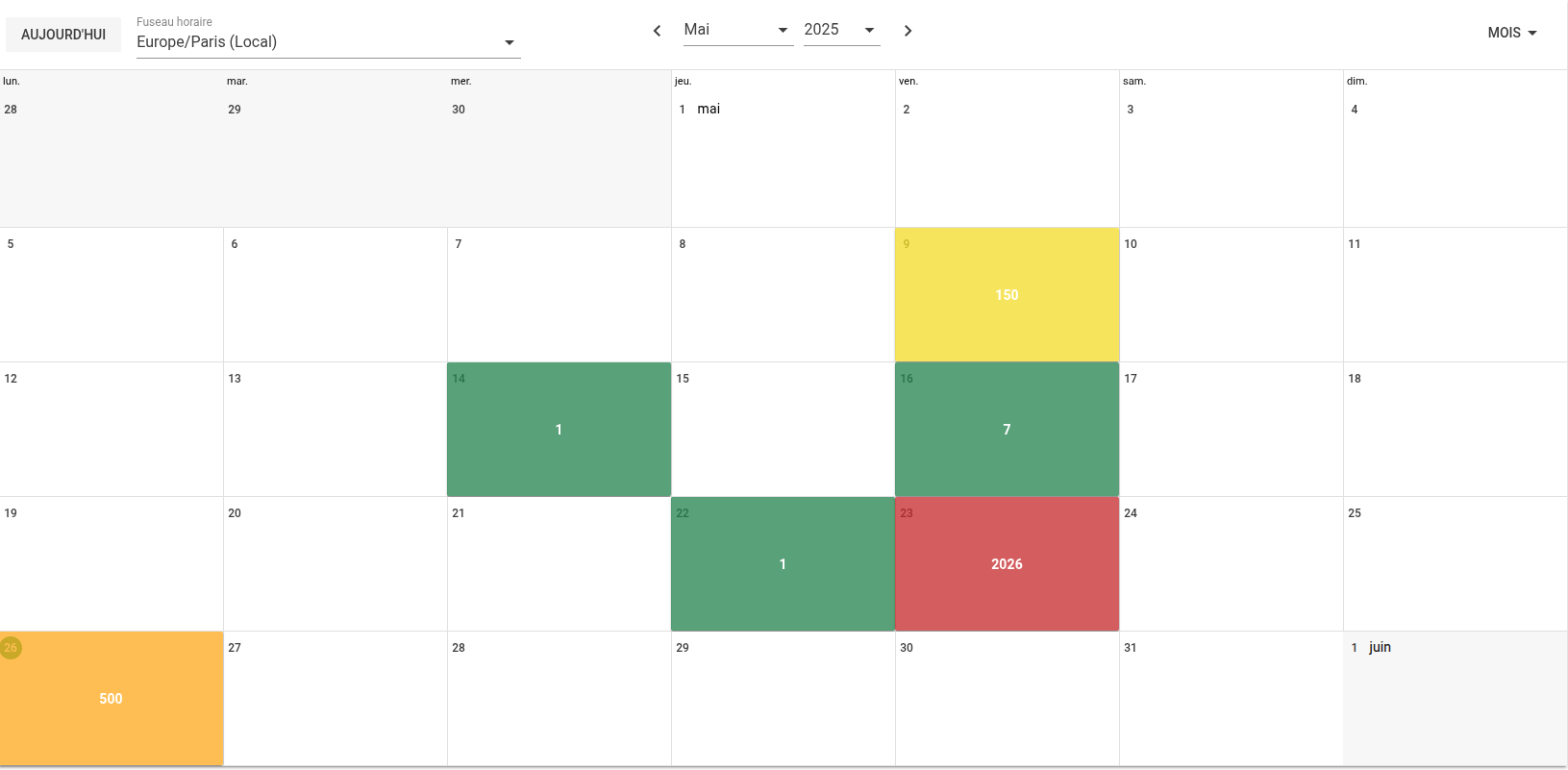
Display periods can be monthly, weekly or daily. Each configured filter generates a clickable counter, giving direct access to the corresponding alarms in an alarm list.
The Calendar widget allows you to :
- Quickly identify the busiest days
- Highlight the effects of an incident or deployment
- Provide a temporal overview of the events to be processed
- Customize criticality thresholds and associated colors
Counters are visible and clickable. Clicking displays alarms in an alarm list. Filters can be applied to open alarms, resolved alarms, or both, depending on the desired operating context.
For further information about KPI / Return on Investment, visit the Canopsis documentation (in French, please use your browser translator to read in other languages).

Audience
- Supervision pilots
- Administrators
- Application managers

Added value
- Decision support
- Time saving
- Operational efficiency