


Available on Canopsis
Community and Pro
Active feature
since Canopsis V2
First of all, the alarm list is a single, configurable console for:
- Aggregation of your tools
- Alarm handling thanks to a single protocol
- Interaction with ticketing tools
- Alarm classification
- Remediation (automatic)
- Views and filters
In short, it delivers the right alert to the right person at the right time!
✅ 2023 updates: WebUI 2.0 and automatic alarm list refresh
Improved WebUI ergonomics (search pin, resize and drag-and-drop column…) and live tracking (automatic refresh) of alarms to offer an ever clearer and more intuitive interface.
✅ Updates 2025: Redesign of advanced search, customization of executable actions and clickable column elements
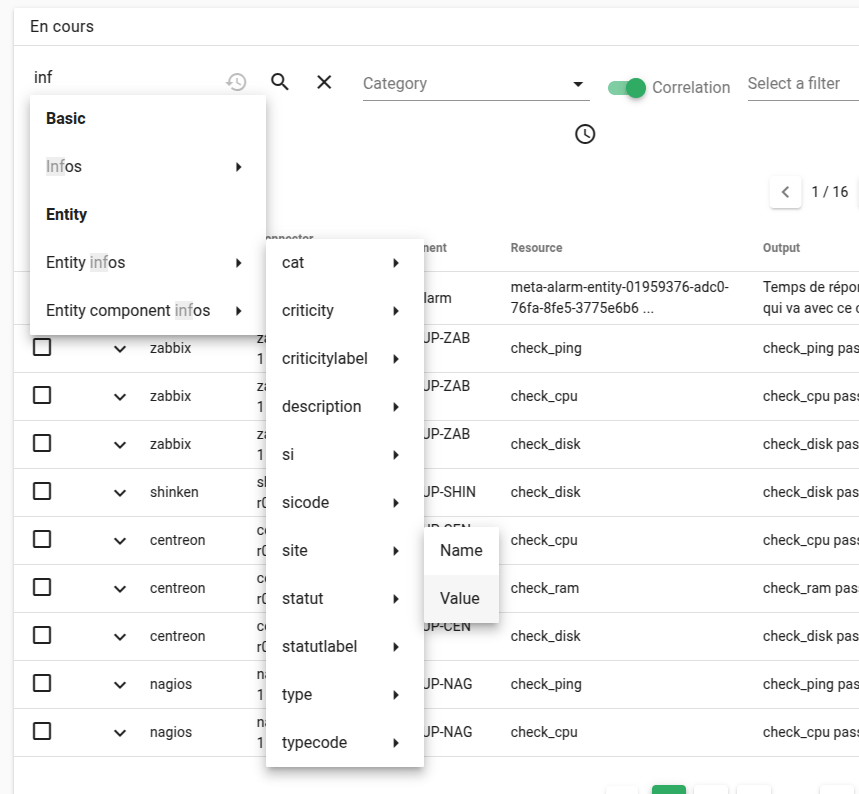
The auto-completion system allows users to choose search terms without needing to know the data models.
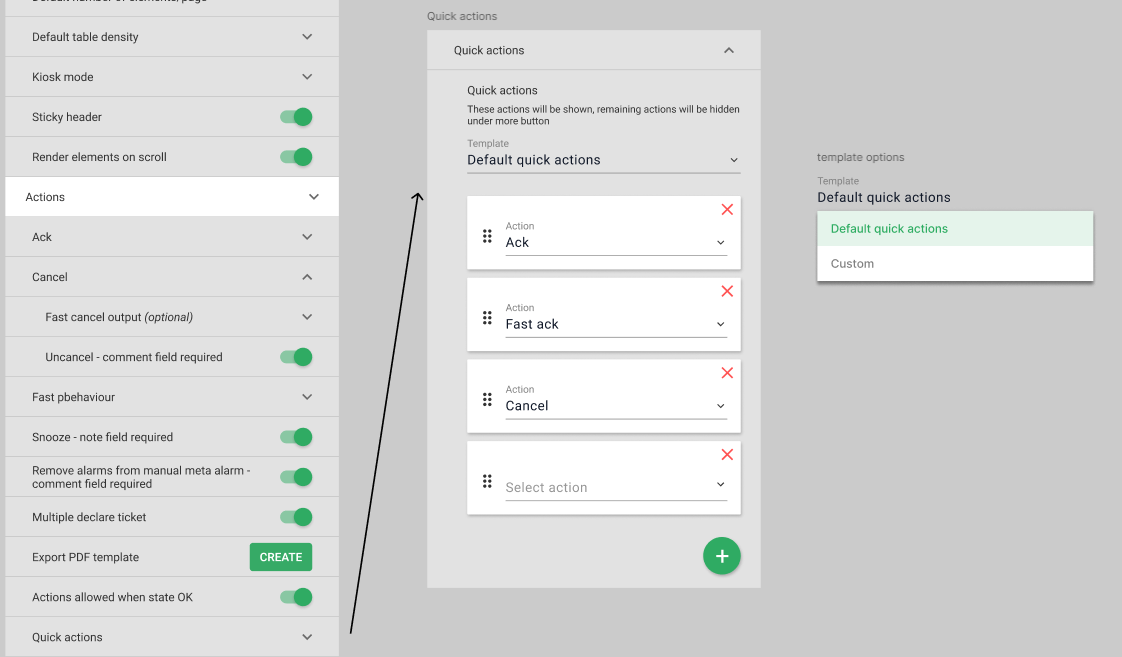
It is also possible to customize the actions that can be performed on an alarm (selection and sorting).
Thanks to a new configuration, column items are now clickable for quick searches.
✅ Update 2026: Setting sorting on multiple columns
Until now, multi-column sorting in the alarm list was only available “live”: any configuration was lost when the page was reloaded.
It is now possible to define and save your sorting preferences directly in the widget settings. In this way, your criteria are stored persistently, regardless of page reloads.
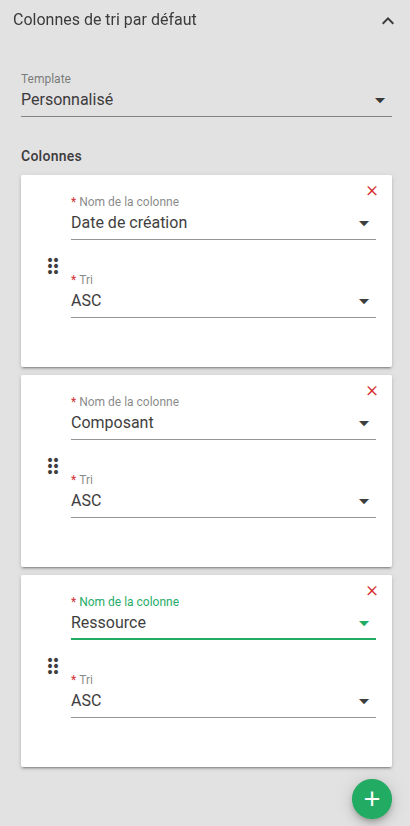
For more information on the alarm list, go to the documentation page or the dedicated article.

Audience
- Supervision pilots
- Administrators

Added value
- Relevance
- Decision support
- Time saving
- Operational efficiency