


Available on Canopsis
Community and Pro
Active feature
since Canopsis V1
The Canopsis interface has been designed for teams who work fast, under pressure, with constantly changing information.
Each element is there for a reason: to save time, reduce errors and maintain control.
From configurable dashboards to specialized widgets, customized views and mass actions, the user interface adapts to your uses and your organization.
Drivers, administrators, integrators: everyone finds what they need, exactly where they want it.
 Updates 2023: Graphic themes and user interface customization
Graphic themes now allow the application of four predefined themes:
- Standard theme: Canopsis
- Dark theme: Canopsis dark
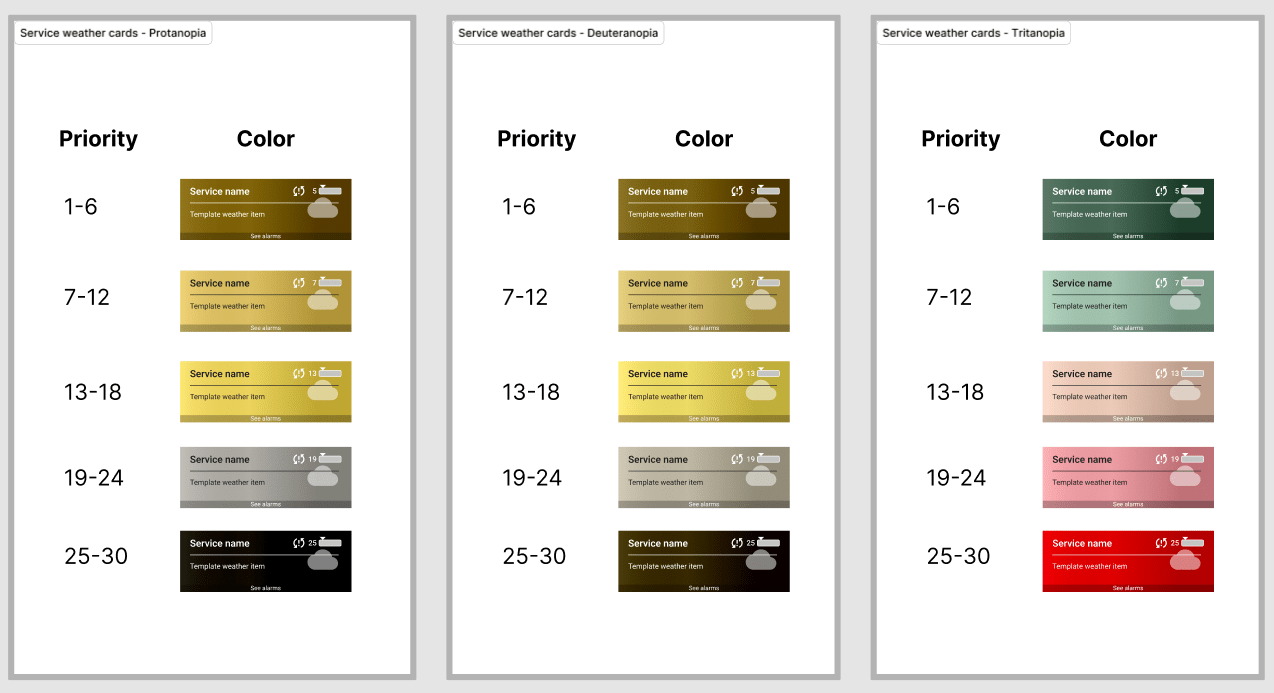
- Color blind theme: Color blind
- Color blind dark theme: Color blind dark
The vast majority of the interface can be customized:
- Interface colors
- Font size
- Alarm list settings
- Criticality colors
- Theme-related handlebar variables
Update 2025: New color schemes for graphic themes
Complete overhaul of color schemes for clearer, more comfortable graphical themes in the user interface.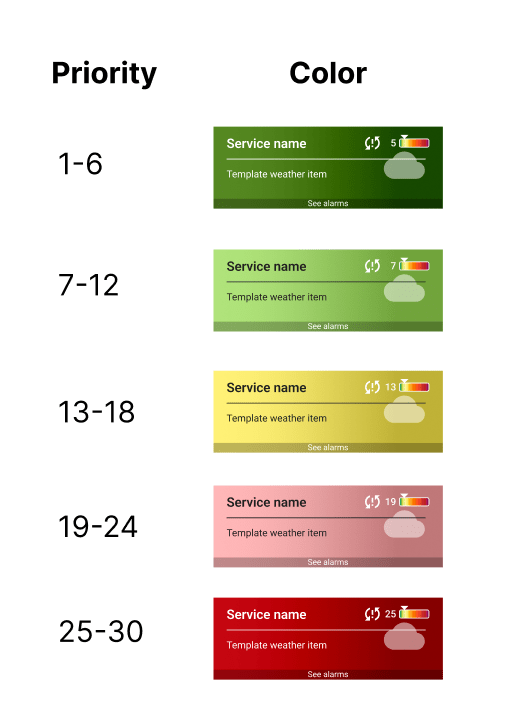
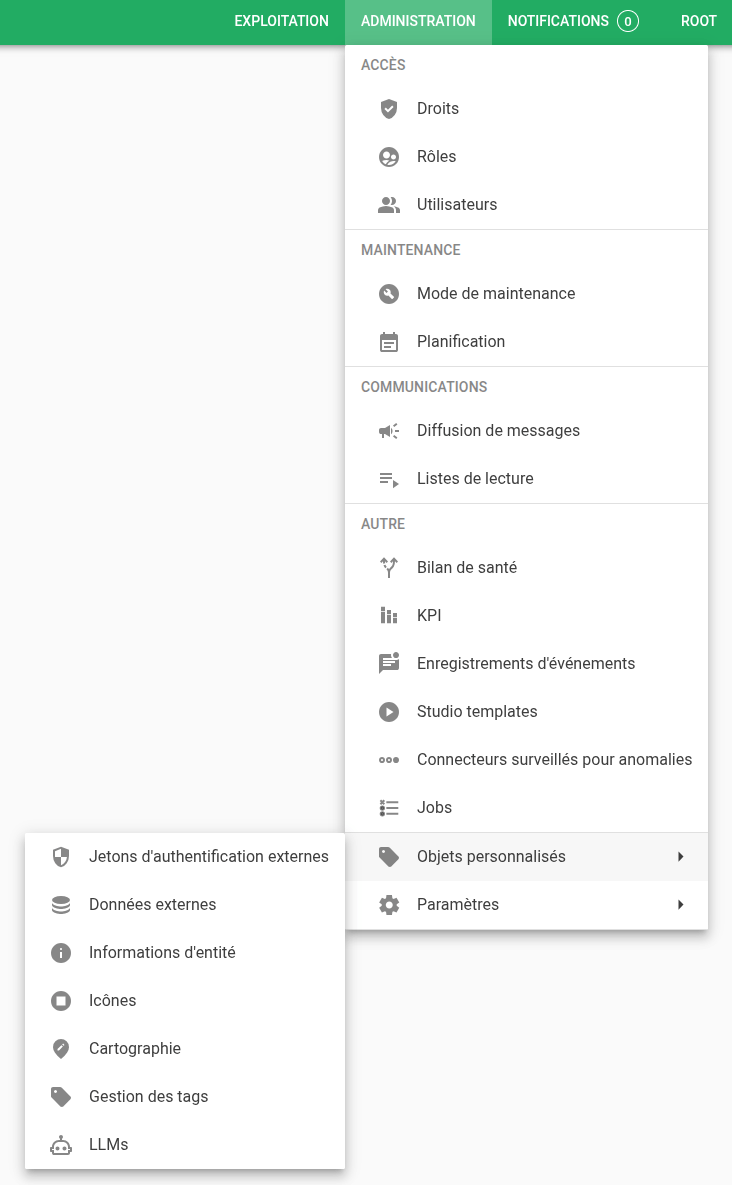
Update 2026: Graphical reorganization of menus in the graphical interface
The Administration menu has been completely redesigned for clearer, more intuitive navigation.
Update 2026: Redesign of the mass actions panel
The mass actions panel has been redesigned to make the user interface more efficient and easier to read.

Update 2026: Update of the Jodit editor for the user interface
The Jodit editor benefits from a major update bringing new features, enhanced stability and security patches.
In particular, table insertion and visual formatting have been simplified, for a smoother, more intuitive editing experience.
The update also boosts the editor’s overall performance, guaranteeing more responsive day-to-day use of the user interface.
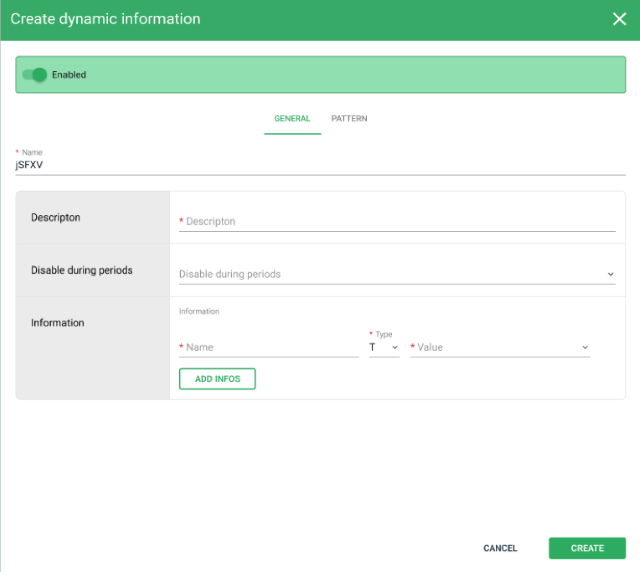
 Update 2026: Overhaul of modal windows
Standardization of all input windows in the Canopsis user interface for a more ergonomic platform.
Here are two examples of the new layout:
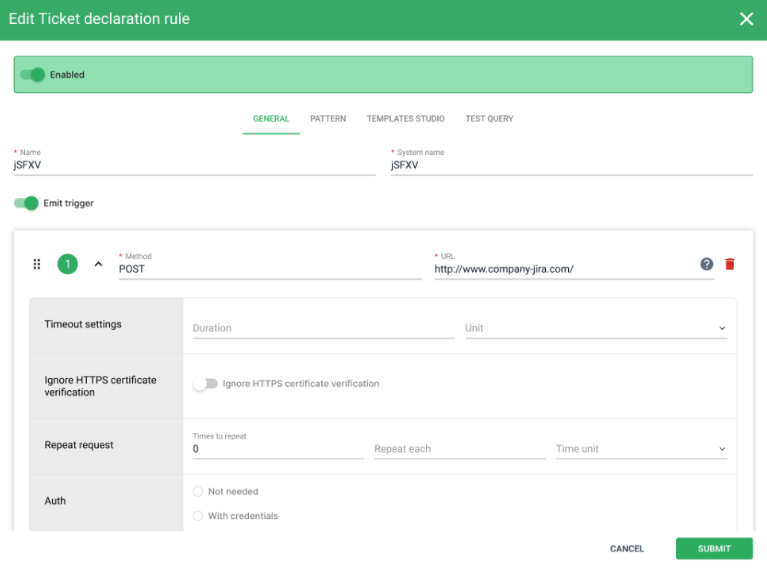
For more information on the Canopsis user interface and other features, please see our documentation.

Audience
- Supervision pilots
- Administrators
- Application managers

Added value
- Customization
- Comfort
- Time saving