


Canopsis Community and Pro
Manual enrichments
Exclusive to Canopsis Pro
Dynamic enhancements
Active feature
since Canopsis V1
The enrichment engine adds information to the incoming event. It draws on three sources:
- The event itself – Using the raw information it already carries.
- Asynchronous querying of an external repository – External source APIs enrich the Canopsis repository by querying the entire database.
- On-the-fly querying of an external repository – APIs query the repository for one specific element, optimizing data storage. Ideal for cloud applications!
Here, for example, is some of the information that the enrichment engine can add:
- Importance – How severe is the event?
- Impact – How many users are affected?
- Location – Where is the equipment involved?
- Others – How do you categorize a created alarm? What’s the associated instruction?
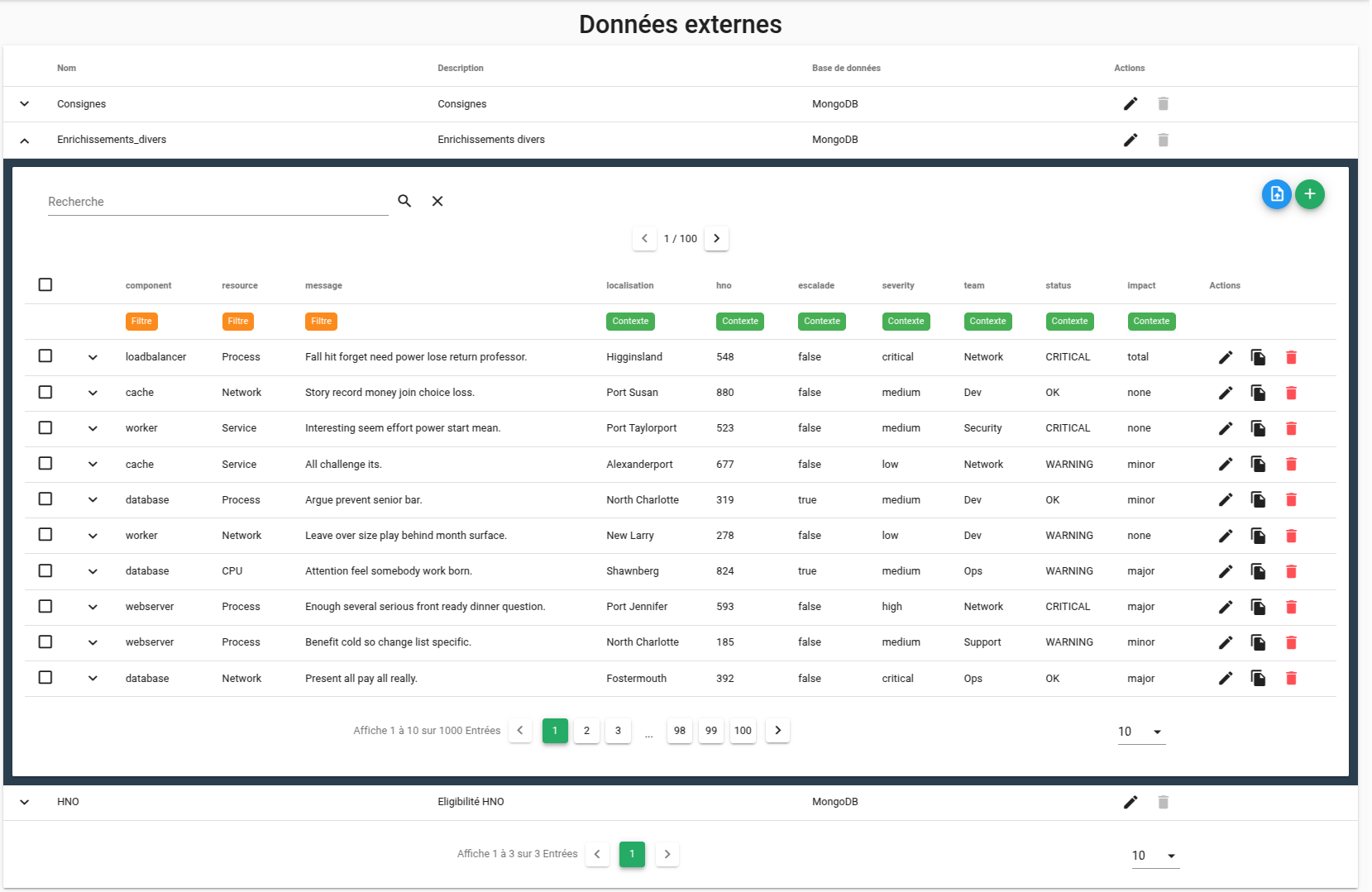
✅ Update 2025: External enrichment data
Event filter rules can now enrich alarms and alarm entities using external data sources.
What’s more, you can manage this directly from the Canopsis graphical interface.
✅ Update 2025: Traceability of enrichments
You can now view every event filter rule applied to an alarm.
This gives you an in-depth understanding of how alarm data has been processed, enriched, and modified throughout its journey through the system.
As a result, you can analyze the conditions that led to the alarm’s final state.
To access enrichment traceability, go to the alarm in question in Canopsis. Then click the section dedicated to event filters. From there, you can examine each enrichment and event filter step that was carried out.
✅ Update 2026: Integration of advanced search in alarm enrichment (dynamic information)
For more information on the enrichment engine and all the other features, see the dedicated article and the Canopsis documentation.

Audience
- Supervision pilots
- Administrators
- Application managers

Added value
- Relevance
- Decision support
- Time saving
- Operational efficiency